![Full Snappy snapping straight for white background.jpg]](https://learn.snapchef.com/hs-fs/hubfs/Full%20Snappy%20snapping%20straight%20for%20white%20background.jpg?height=40&name=Full%20Snappy%20snapping%20straight%20for%20white%20background.jpg)
Step 1: Activate your account
-
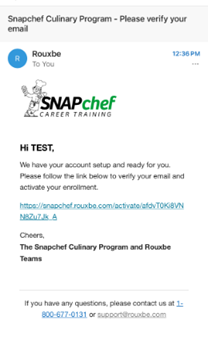
Check your email inbox for a message from Rouxbe
-
Click the blue activation link in the email to verify your account.
Step 2: Confirm your account
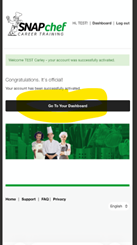
- After clicking the link, you will be directed to a confirmation page indicating your account has been successfully activated.
- Select “Go To Your Dashboard” to proceed.
Step 3: Access your training
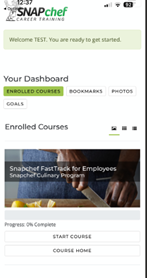
- You will be taken to your Rouxbe dashboard.
- Locate your assigned course. Snapchef FastTrack for Employees and click “Start Course” to begin.
Login Information (for future access)
-
Username: Your email address
-
Password: Snapchef1